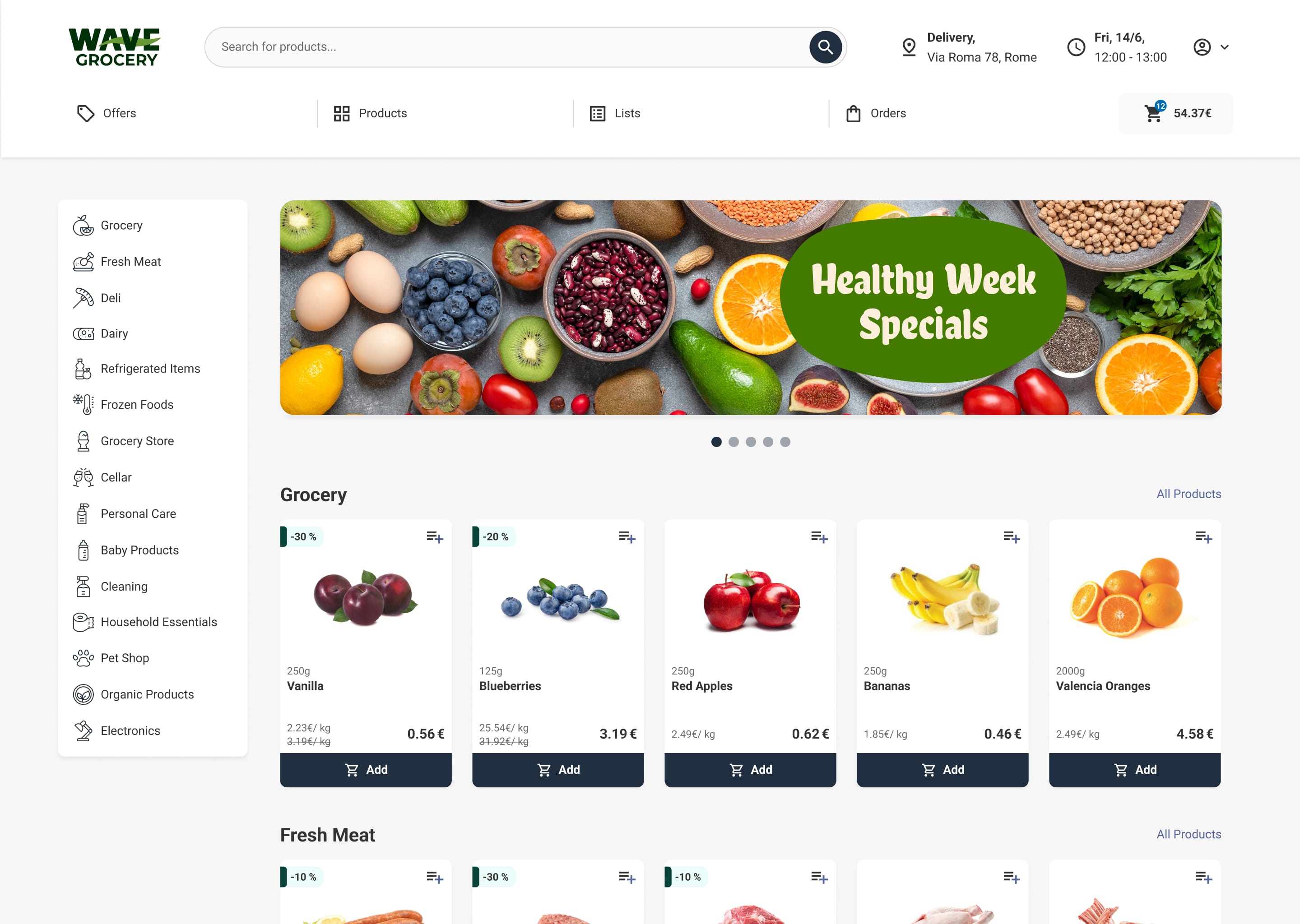
Online grocery is growing fast. Brick Meets Click reported that US eGrocery sales grew almost 25% year over year in August 2026, and average order frequency increased for the 24th month in a row. Shoppers order more often, so every missing item, wrong substitution, or late delivery has a bigger effect on loyalty.
A grocery ecommerce store is not a standard online shop with food in it. It must handle products sold by weight, stock that changes by the minute, picking in busy stores, and deliveries promised for a specific time window.
This article explains eight grocery-specific features your ecommerce store needs. For each one, it describes the operational problem the feature solves and what to look for when you evaluate a platform.
1. Weighted products and cutting options
The problem: Fresh produce, meat, fish, cheese, and deli items are sold by weight. A customer orders "1 kg of chicken breast", but the picker may pack 1.06 kg. If the platform cannot handle this, staff adjust prices by hand, customers are charged incorrectly, or fresh categories are not sold online at all. Fresh categories are often where independent grocers stand out.
What to look for:
- Products sold by weight, by piece with an estimated weight, or both
- Clear estimated prices at checkout and final billing on actual weight
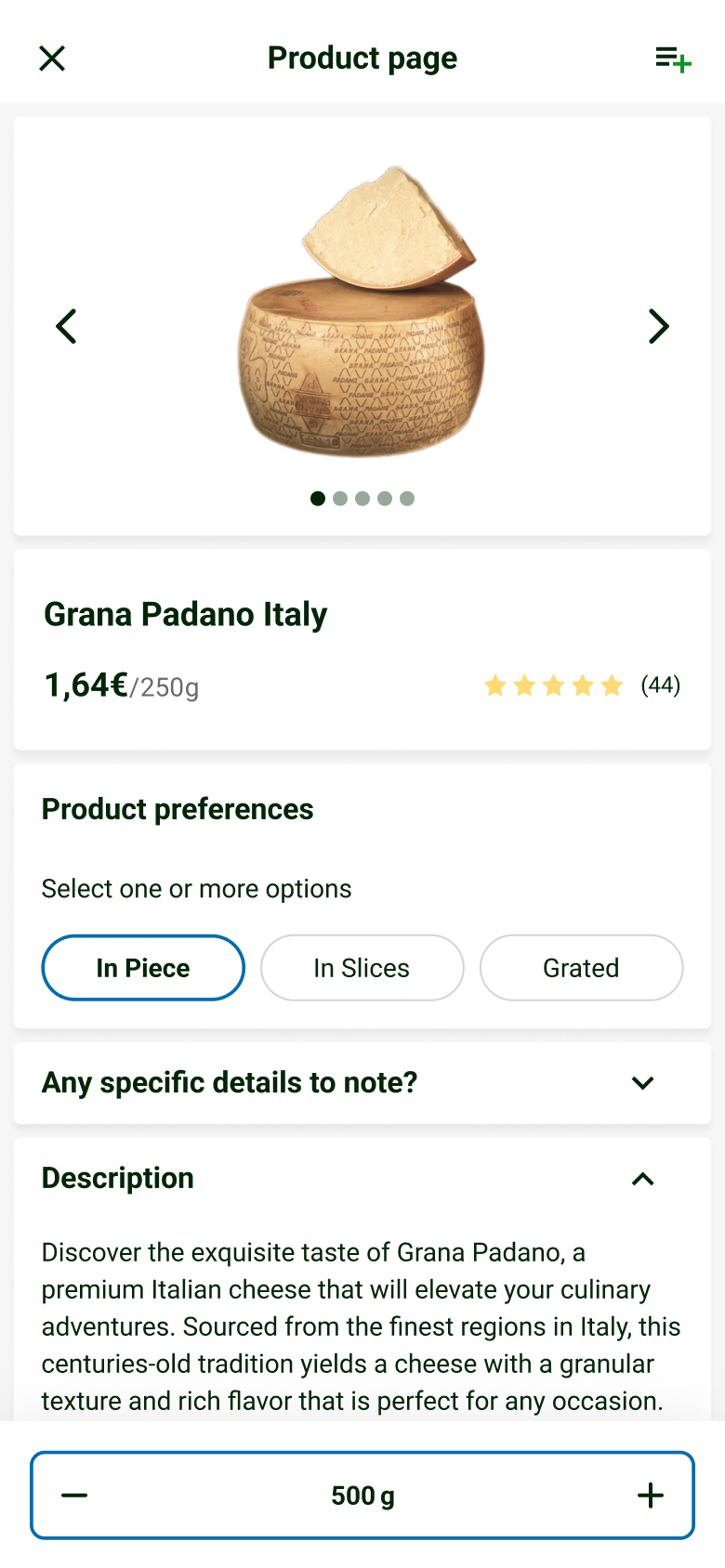
- Cutting and preparation options (sliced, minced, filleted, portioned) with notes for the butcher or deli counter
- Payment pre-authorization that allows for small weight differences
Read more about weighted products and how to sell fruit, vegetables, and meat online.
2. Live inventory by store
The problem: In-store shoppers buy the same products that online customers order. If your website shows yesterday's stock, customers order items that are no longer on the shelf, and orders arrive incomplete.
What to look for:
- Automatic stock and price sync with your POS or ERP, at short intervals or in real time
- Separate stock, prices, and ranges for each store
- Rules to hide or limit products with low stock
- Clear "out of stock" handling that suggests alternatives
See real-time inventory and how the Wave Grocery admin panel manages stock and assortments per store.
3. Substitutions with customer approval
The problem: Some items will be unavailable at picking time, even with good stock data. Without a clear process, pickers guess, customers receive products they did not want, and refunds and complaints increase.
What to look for:
- Customer preferences at checkout: allow substitutes, choose a specific substitute, or no substitute
- Suggested replacements based on brand, size, and price rules
- Real-time notifications so customers can approve or reject a substitute before the order leaves the store
- Final billing that reflects accepted substitutions
- Reporting on substitution rates and acceptance
Read more about substitutions.
4. Picking workflows for store teams
The problem: Picking is usually the largest labor cost in online grocery. Paper lists, unclear routes, and manual weight entry make picking slow and cause errors.
What to look for:
- A mobile picker app that works on standard phones
- Pick lists sorted by store layout and temperature zone (ambient first, frozen last)
- Barcode scanning to confirm the right product and capture weights
- Batch picking, so one picker can collect several orders in one trip
- Performance data: picking time per order and per item, and error rates
See the Wave Grocery picking software and our guide to improving order picking accuracy.
5. Delivery and pickup scheduling
The problem: Grocery customers want their order at a specific time, often on the same or next day. If you accept more orders than your team can pick and deliver, orders are late. If slots are too limited, customers shop elsewhere.
What to look for:
- Delivery slots and pickup slots with capacity limits per store and per zone
- Cut-off times and different fees by slot, day, or area
- Delivery zones based on postcodes or map areas, with minimum order values
- Route planning and driver apps, or integration with your delivery partners
- Order tracking and notifications for customers
See the Wave Grocery delivery software.
6. Loyalty and personalized offers
The problem: Grocery is a repeat business. If your online store does not recognize loyal customers or connect to your in-store loyalty scheme, shoppers have little reason to stay when a competitor runs a promotion.
What to look for:
- A loyalty program that works both online and in store, with a digital card
- Points, rewards, and coupons that apply automatically at checkout
- Personalized product recommendations and offers based on purchase history
- Fast reordering from past orders and saved lists
See the Wave Grocery loyalty software and how to measure customer loyalty.
7. Mobile shopping
The problem: Many grocery orders are placed on a phone, often in short sessions. A slow mobile site or a long checkout leads to abandoned carts. Without your own app, you depend on marketplaces to reach mobile shoppers.
What to look for:
- A fast, mobile-first website and a branded grocery app for iOS and Android
- Quick reorder, shopping lists, and favorites
- Barcode scanning to add products
- Push notifications for order updates and offers
- A shared cart and account across web, app, and store
For example, Greek grocer Thanopoulos drives 20% of its online orders through mobile after moving to Wave Grocery. See the Wave Grocery mobile app.
8. ERP and POS integrations
The problem: Your ERP and POS hold your products, prices, promotions, stock, and financial records. If the ecommerce store is not connected, staff enter data twice, prices on the website do not match the shelf, and reconciliation takes hours.
What to look for:
- Proven integrations with your specific ERP and POS, not only "API available"
- Automatic sync of products, prices, promotions, and stock
- Orders, payments, and refunds sent back to the ERP and accounting
- Integrations with payment providers, delivery partners, and marketing tools
- A clear answer on who builds and maintains each integration, and at what cost
See how Wave Grocery integrates with ERP, POS, and payment systems.
Why these features need customization on generic platforms
General ecommerce platforms are designed for fixed-price products shipped as parcels. Most of the eight features above are possible on them, but usually through plugins, apps, or custom development. This adds cost, extends the launch timeline, and creates maintenance work after every platform update.
| Feature | Generic ecommerce platform | Grocery-specific platform |
|---|---|---|
| Weighted products and cutting options | App or custom development | Standard |
| Live inventory by store | Custom integration; multi-store logic often limited | Standard, synced with ERP or POS |
| Substitutions with approval | Usually custom | Standard |
| Picking workflows | Separate tool or custom app | Included picker app |
| Delivery and pickup slots | App with limited capacity rules | Standard, with capacity per store and zone |
| Loyalty online and in store | App plus custom POS link | Standard or integrated |
| Native mobile app | Third-party app builder or custom build | Included or available as a module |
| ERP and POS integrations | Custom, maintained by your developers | Pre-built connectors and vendor-managed |
If you are comparing platforms, see our guide to the top grocery ecommerce platforms.
Buyer checklist: evaluating a grocery ecommerce platform
Ask every vendor to show these points in a live demo with grocery products:
- Order a weighted product with a cutting option and show the final billing on actual weight.
- Change stock in the POS or ERP and show how quickly it updates on the website.
- Show different prices and ranges for two stores.
- Mark an item unavailable during picking and show the substitution suggestion and customer approval.
- Pick an order with the picker app, including barcode scanning and weight entry.
- Set slot capacity for one store and show what happens when a slot is full.
- Apply a loyalty reward and a coupon at checkout.
- Place an order in the mobile app and reorder it with one tap.
- Show which ERP, POS, payment, and delivery integrations are live with existing customers.
- Explain what is included in the fee: support, updates, integrations, and the mobile app.
Bringing it together
These eight features work best when they share the same data. Stock from the ERP drives what customers can order. Substitution rules guide pickers. Slot capacity reflects the real picking and delivery team. Loyalty data shapes the next offer. A grocery ecommerce platform that includes them as standard reduces the number of tools to connect and maintain. Explore the Wave Grocery online ordering system or see the pricing plans.
FAQs
What features does a grocery ecommerce website need?
At minimum: weighted products and cutting options, live inventory by store, substitutions with customer approval, picking workflows, delivery and pickup slots with capacity limits, loyalty, a mobile-first experience, and ERP and POS integrations.
Can I use Shopify or WooCommerce for a grocery store?
Yes, but grocery workflows such as weighted items, substitutions, delivery slots, and store-level stock usually require apps, plugins, or custom development. This adds cost and maintenance. A grocery-specific platform includes them as standard.
Why are substitutions so important in online grocery?
Some items will always be unavailable at picking time. A clear substitution process with customer preferences and approval reduces missing items, refunds, and complaints, and protects customer trust.
Do I need a mobile app for my online grocery store?
Not on day one, but a fast mobile experience is essential. A branded app helps with repeat orders through quick reorder, saved lists, and push notifications, and reduces dependence on marketplaces.
%2520copy.jpeg)
Tasos Koskolos is Head of Product, applying an engineering mindset to e-grocery tools that boost throughput, accuracy, and customer loyalty.

Our editorial team works hand-in-hand with grocery experts and digital specialists to deliver actionable content designed to help your business thrive online. Each article is built on real industry insights and practical guidance for grocers, providing actual solutions to real problems.