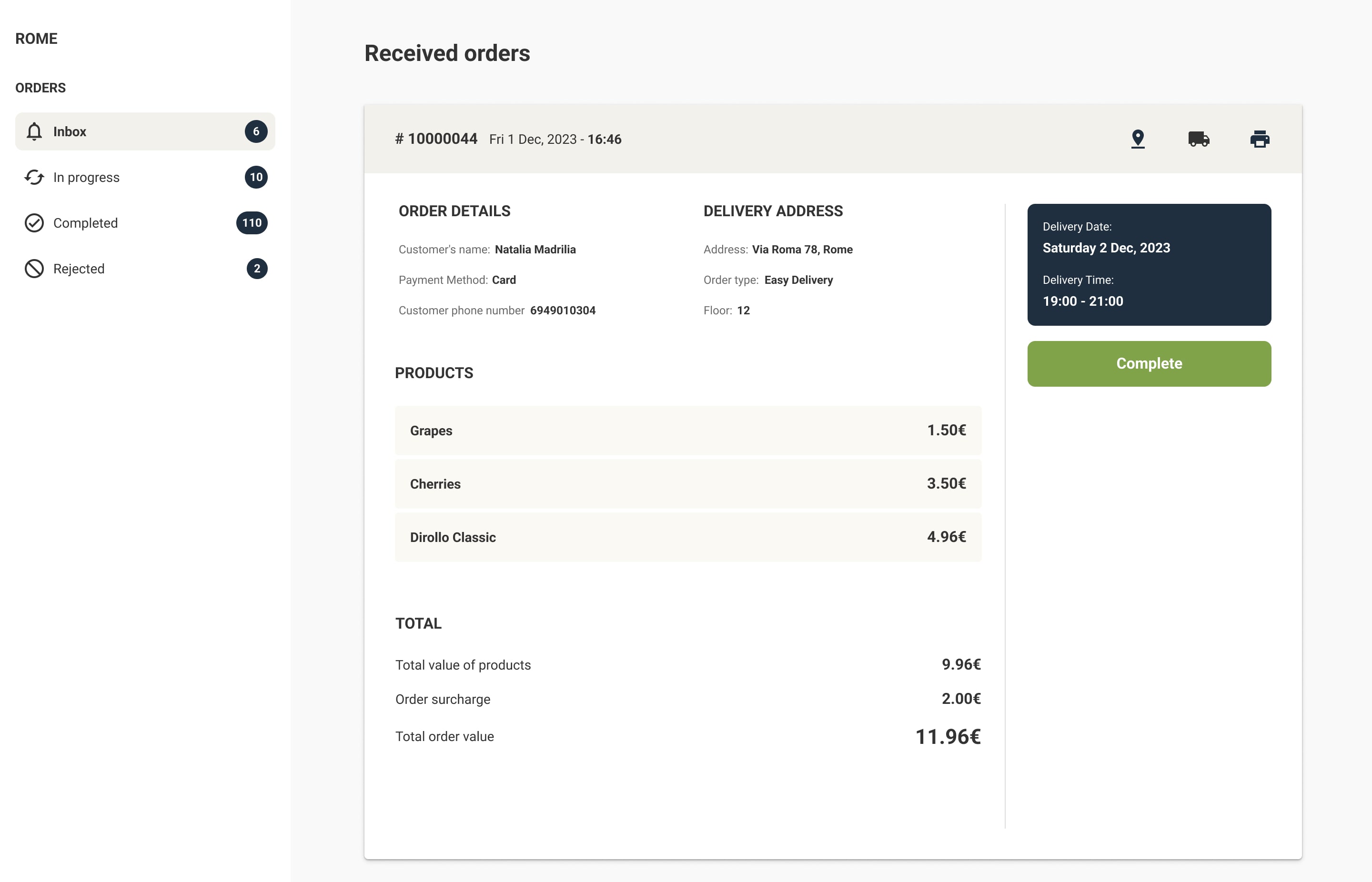
An order management system (OMS) is software that tracks and coordinates orders from checkout through fulfillment and delivery. In most ecommerce businesses, it connects the storefront with inventory, warehouses, and shipping.
In grocery, the OMS has more to coordinate. A single online grocery order can contain 40–60 items, including products sold by weight, chilled and frozen goods, and items that may be out of stock by the time someone picks them. The order must be picked from a specific store, ready for a specific delivery slot, and billed for what the customer actually received.
This guide explains what an order management system does, how a grocery order management system differs from a generic one, where an OMS fits next to your ERP, WMS, POS, and ecommerce platform, and how to tell when you need one.
What an order management system does
An OMS is the control center for every order after the customer clicks "place order". In grocery, it coordinates these steps:
- Checkout: receives the order from your website, mobile app, or phone ordering team, confirms the delivery or pickup slot, and records the payment authorization.
- Routing: assigns the order to the right store, dark store, or fulfillment center based on the customer's address, stock, and capacity.
- Picking: releases orders to pickers at the right time for each slot and sends the pick list to a picker app.
- Substitutions: records items that are unavailable, the replacements suggested, and whether the customer accepted them.
- Packing: tracks totes and bags by temperature zone (ambient, chilled, frozen) and confirms that the order is complete.
- Delivery or handover: passes the order to drivers, routing tools, or the pickup point, and updates the customer on progress.
- Cancellations and refunds: handles changes before picking, missing items after delivery, and refunds or credits.
- Billing: captures the final payment based on actual weights and accepted substitutions, and sends the data to accounting and your ERP.
How an order moves through a grocery OMS
Here is the typical flow of one online grocery order, step by step:
- Order placed. The customer chooses products and a delivery slot and pays. The payment provider pre-authorizes an amount slightly above the basket total to allow for weighted items.
- Order validated. The OMS checks the slot capacity, the delivery address, and the stock at the assigned store. It sends the customer a confirmation.
- Order edited (optional). Until the cut-off time, the customer can add or remove items. The OMS updates the order and the payment authorization.
- Order released for picking. At the right time before the slot, the OMS sends the order to the picker app. Orders may be batched so that one picker collects several orders in one trip.
- Picking and substitutions. The picker scans each item, enters actual weights, and marks unavailable items. The OMS suggests replacements based on rules and customer preferences, and can ask the customer to approve them.
- Packing and staging. The order is packed by temperature zone and stored in the right area until it is collected.
- Dispatch or pickup. The order is assigned to a driver and route, or marked ready for collection. The customer receives a notification.
- Delivery and final billing. After handover, the OMS captures the final amount, issues the receipt, and updates your ERP and accounting.
- After-sales. If the customer reports a missing or damaged item, the OMS records it and processes a refund or credit.
OMS vs ERP vs WMS vs POS vs ecommerce platform
Grocers often ask whether they need an OMS if they already have an ERP or a POS. These systems do different jobs and usually work together:
| System | Main job | Typical grocery examples of what it handles | Owns the online order? |
|---|---|---|---|
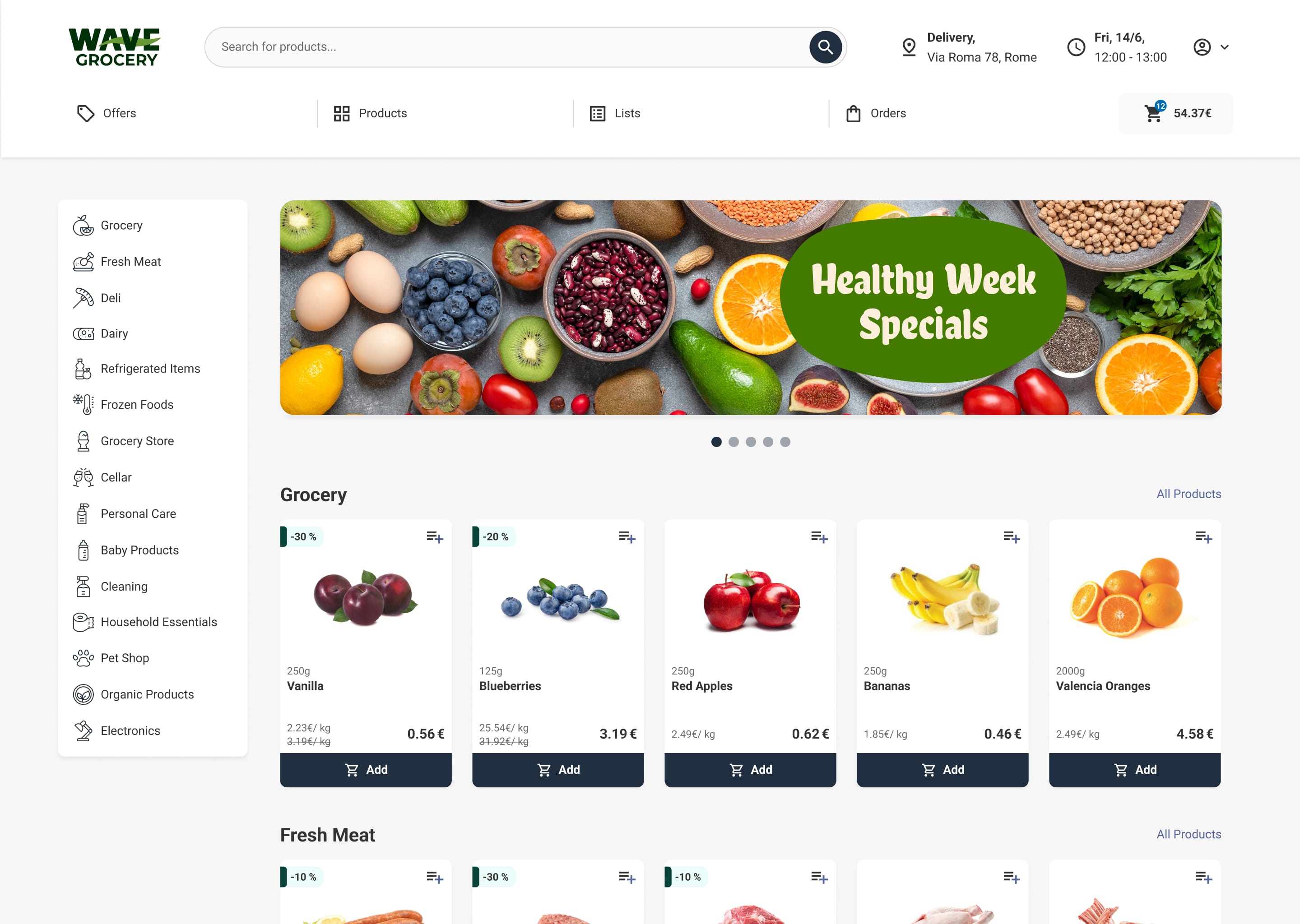
| Ecommerce platform | Customer-facing storefront and app | Product pages, search, cart, checkout, customer accounts | Captures it |
| OMS | Runs each order from checkout to delivery | Slot capacity, store routing, picking, substitutions, final billing, refunds | Yes |
| POS | In-store sales and payments | Till transactions, shelf prices, store-level sales data | No |
| ERP | Finance, purchasing, and master data | Product master, cost prices, supplier orders, accounting | No (receives results) |
| WMS | Stock and tasks inside a warehouse | Receiving, storage locations, replenishment, warehouse picking | No |
In short: the ecommerce platform takes the order, the OMS runs it, the POS and ERP hold the product, price, and financial records, and a WMS manages stock inside a warehouse. Many grocery platforms combine the ecommerce front end and the OMS, and connect to the POS and ERP through integrations.
Why grocery needs a grocery-specific OMS
Generic OMS products are designed for parcels: fixed-price items picked in a warehouse and shipped in a few days. Grocery orders need these extra capabilities:
- Weighted items: products such as meat, cheese, and produce are ordered by estimated weight and billed on actual weight. The OMS must handle the price difference and the payment capture. See weighted products.
- Live inventory: store stock changes every minute because in-store shoppers buy the same products. The OMS needs real-time inventory from the POS or ERP to avoid accepting orders it cannot fill.
- Store-level availability: each store has its own range, prices, and stock. The OMS must route orders to the store that can fill them.
- Delivery slots: orders are promised for a time window, not a shipping date. The OMS must manage slot capacity per store, per zone, and per picker team.
- Substitution logic: substitutions are part of almost every order. The OMS needs rules for acceptable replacements, customer preferences, and approvals.
- Temperature zones: chilled and frozen products must be picked last and kept separate, which affects pick sequence and staging.
- Multiple channels: orders come from the website, the mobile app, phone orders, and sometimes marketplaces. All must follow the same process.
Signs you need an OMS
If several of these are true, your current tools are probably holding you back:
- Staff copy orders from emails or a website dashboard into spreadsheets or paper pick lists.
- Customers regularly receive orders with missing items and no substitution offered.
- You often accept orders for products the store no longer has.
- Delivery slots are overbooked at peak times, and orders leave late.
- Final billing for weighted items is calculated manually.
- You cannot see, in one place, the status of every order across all stores.
- Adding a second store or a dark store would mean duplicating your manual processes.
- Refunds and missing-item complaints take a long time to resolve.
How to evaluate an OMS vendor
Use this checklist when you compare vendors. Ask for a live demonstration of each point with grocery data, not a slide.
- Grocery workflows: Does it support weighted items, cutting options, substitutions, and temperature zones without custom development?
- Inventory: How often does it sync stock and prices with your POS or ERP? Can it show store-level availability?
- Slots and capacity: Can you set capacity per store, zone, and time window, and change it quickly?
- Picking: Does it include a picker app, or integrate with one? Does it support batch and zone picking?
- Multi-store and multi-channel: Can it route orders between stores and handle web, app, and phone orders in one queue?
- Payments: Does it handle pre-authorization and final capture based on actual weights?
- Integrations: Which ERP, POS, payment, and delivery systems does it connect to today? What does a new integration cost?
- Reporting: Can you track fill rate, substitution acceptance, picking time, and on-time delivery?
- Scalability: Can it handle your peak days, such as holidays, without manual workarounds?
- Support and cost: What is included in the fee? How is onboarding done, and how long does it typically take?
For a comparison of specific vendors, see our guide to the best grocery order management systems.
Where Wave Grocery fits
Wave Grocery's grocery order management system manages orders from checkout to delivery in one system, with real-time stock sync, picker assignment, substitutions, and multi-store routing. It works with the picker app, the order fulfillment software, and the grocery management software (admin panel) used by store teams. To learn more about the fulfillment side, read about grocery order fulfillment and order picking in our glossary.
FAQs
What is an order management system?
An order management system (OMS) is software that tracks and coordinates orders from checkout through fulfillment and delivery.
What is a grocery order management system?
A grocery order management system is an OMS built for grocery workflows. In addition to standard order handling, it manages weighted items, live store-level inventory, delivery slots, substitutions, and temperature zones.
Do I need an OMS if I already have an ERP?
Usually, yes. An ERP manages finance, purchasing, and master data. It is not designed to run individual online orders through picking, substitutions, slots, and delivery. The OMS handles order execution and sends the results back to the ERP.
What is the difference between an OMS and a WMS?
A WMS manages stock and tasks inside a warehouse, such as receiving, storage locations, and replenishment. An OMS manages the order across channels, stores, and delivery. Grocers that pick from stores often need an OMS but not a full WMS.
Can an OMS work with store picking and dark stores?
Yes. Modern grocery OMS platforms support in-store picking, dark stores, and micro-fulfillment centers from a single system.

Costas D. Aniston is Customer Success Manager, helping grocery retailers streamline operations, improve fulfillment accuracy, and achieve sustainable growth.

Our editorial team works hand-in-hand with grocery experts and digital specialists to deliver actionable content designed to help your business thrive online. Each article is built on real industry insights and practical guidance for grocers, providing actual solutions to real problems.