The gap between semantic search vs keyword search is not a technical detail. It is the difference between a shopper who finds what they need and one who hits a blank results page and leaves.
On a Tuesday evening, a shopper opens your grocery app and types "something quick for dinner with chicken." Your search bar returns zero results. That is keyword-based search doing exactly what it was built to do: match a string of text against your product catalog.
It found no product named "something quick for dinner with chicken." So it returned nothing.
This matters more in grocery than in almost any other retail category. Your shoppers do not search the way your product catalog is structured.
They search by meal, mood, dietary need, and occasion. What sits behind your search bar determines how many of those queries end in an add-to-cart, and how many end in a bounce.
This article explains how the two approaches differ, shows the distinction using real grocery queries, and covers what to measure to know whether your search function is working.
What separates the two approaches
Keyword search matches the exact words a shopper types against the words stored in your product data. If the terms align, results appear.
If they do not, they do not. It is fast, simple to implement, and entirely literal.
Semantic search understands the meaning and intent behind a query. It processes synonyms, related concepts, product attributes, and context.
A shopper searching "gluten free pasta" gets the same results as one searching "GF pasta" or "wheat-free pasta", because a semantic search engine recognises that all three refer to the same thing.
The core difference: keyword search is a matching tool. Semantic search is a comprehension tool.
The same grocery query, handled two different ways
The distinction between the two approaches is easiest to see through real examples.
Here are four queries that grocery shoppers actually run, and what each type of search does with them.
Query: "gluten free pasta"
Query: "something sweet for kids lunchbox"
Query: "oat mlk" (misspelling)
Query: "tonight's dinner for four, budget friendly"
What better search actually delivers for your business
The commercial case for semantic product search in grocery is concrete. Here is what changes in practice when shoppers can find what they mean, not just what they type.
Zero-result rate drops. Across ecommerce platforms, the industry average null rate, the share of searches that return no results, sits between 10 and 30 percent.
Algolia recommends targeting below 2 percent and considers anything above 3 to 5 percent a problem worth fixing immediately. Each zero-result page is a lost sale.
A semantic search layer reduces this significantly by correctly interpreting ambiguous, misspelled, and natural-language queries that keyword matching cannot handle.
Basket size increases. When a shopper finds what they were looking for and the platform intelligently surfaces related items, average order value goes up.
A shopper who searches "pasta" and gets pasta sauce and parmesan in the same results view adds more to their basket than one who gets pasta alone.
Advanced semantic search for shopping makes those connections automatically, rather than relying on manually configured cross-sell rules.
Search-to-cart conversion improves. Shoppers who use search convert at higher rates than those who browse, but only when search works.
Algolia's data shows that search users are 2 to 3 times more likely to buy than non-searchers. A shopper who searches and gets zero results, however, converts at a rate close to zero.
The gap between those two numbers is the size of the opportunity.
The scale of the problem across the industry is significant. Baymard Institute's 2024 benchmark found that 41 percent of ecommerce sites fail to fully support the key search query types shoppers actually use.
Grocery, with its dietary variations, occasion-based queries, and brand shorthand, is particularly exposed to this failure mode.
Voice and natural-language queries become functional. "Add semi-skimmed milk to my basket" or "what's on offer in the meat section" are real queries grocery shoppers make through voice assistants and smart device integrations.
Keyword-based search cannot handle them. Semantic ecommerce search can.
Where keyword search still earns its place
Semantic search is not always the right answer, and a grocery retailer evaluating the switch should understand where keyword matching continues to perform well.
For exact-match brand and SKU queries, "Heinz Baked Beans 415g," "Walkers Ready Salted 6-pack," "Oatly Barista 1L", keyword search is fast, precise, and entirely adequate. The shopper knows exactly what they want. There is no ambiguity to resolve.
For catalogs where product data is clean, consistently tagged, and well-structured, keyword search performs reliably for navigational queries.
The breakdown happens at the edges: natural language, synonyms, dietary attribute combinations, and occasion-based browsing. That is where keyword matching fails and semantic search earns its cost.
In practice, most well-built grocery ecommerce platforms use a hybrid approach: semantic relevance for broad, natural-language, and attribute-based queries, with keyword precision preserved for exact-match brand and product searches.
This combination is generally more effective and more cost-efficient than replacing keyword search wholesale.
One critical prerequisite before any semantic layer can perform well: your product data needs to be in order.
Semantic search is better at inferring meaning than keyword search, but it cannot compensate for a catalog where product titles are inconsistent, dietary attributes are missing, or categories are applied unevenly.
How your catalog is structured and maintained directly determines what any search engine, semantic or otherwise, can do with it. If your own team cannot reliably find a product by browsing the catalog, a semantic engine will struggle too.
Addressing data quality before or alongside a search upgrade is not optional. It is what determines whether the investment pays off.
What does upgrading actually involve? For most grocery retailers, the path is not a full platform replacement.
Semantic search can be added as a layer on top of an existing product catalog and ecommerce setup, either through the platform itself or via a specialist search provider. The key variables are catalog size, data quality, and how much query-type diversity your shoppers generate.
A retailer with 5,000 well-tagged SKUs and mostly exact-match queries has a different case than one with 40,000 SKUs and a high proportion of natural-language and dietary-filter queries. The latter has a much stronger ROI argument for semantic search.
How to measure whether your search is actually working
Any investment in search technology needs to be backed by data. These are the five metrics that tell you whether your search function is performing and how much it improves after any upgrade.
Set a baseline for all five before making any change, then review at 30, 60, and 90 days post-implementation.
What to look for in a grocery search platform
Not all semantic search implementations are equal. Grocery has specific characteristics that generic ecommerce search platforms often underestimate.
Before diving into capabilities, these five search best practices for egrocery give a solid foundation for what good looks like. When evaluating options, these are the capabilities that matter.
NLP that understands food and grocery vocabulary. General-purpose language models may not recognise "two-percent milk," "tinned tomatoes," or "free-from" as meaningful grocery concepts.
The platform needs to have been trained on, or tuned for, the vocabulary of food retail.
Handling of abbreviations, misspellings, and brand shorthand. "Coke" for Coca-Cola, "semi-skim" for semi-skimmed, "WW" for Weight Watchers, "Og" for organic.
Grocery shoppers use shorthand that keyword search misses entirely. A well-built semantic layer handles this without requiring a manually maintained synonym dictionary.
Simultaneous attribute and dietary filtering. A shopper searching "dairy-free high-protein breakfast" is combining a dietary restriction with a nutritional preference and a meal occasion in a single query.
The search engine needs to process all three dimensions together, not treat each as a separate filter.
Performance on mobile, where most grocery orders now happen. Mobile drove 54.5 percent of online retail revenue during the 2024 holiday season, according to Algolia.
Most online grocery orders are placed on a phone, often quickly, often with incomplete or informal queries. Natural-language search and voice queries are disproportionately mobile-initiated.
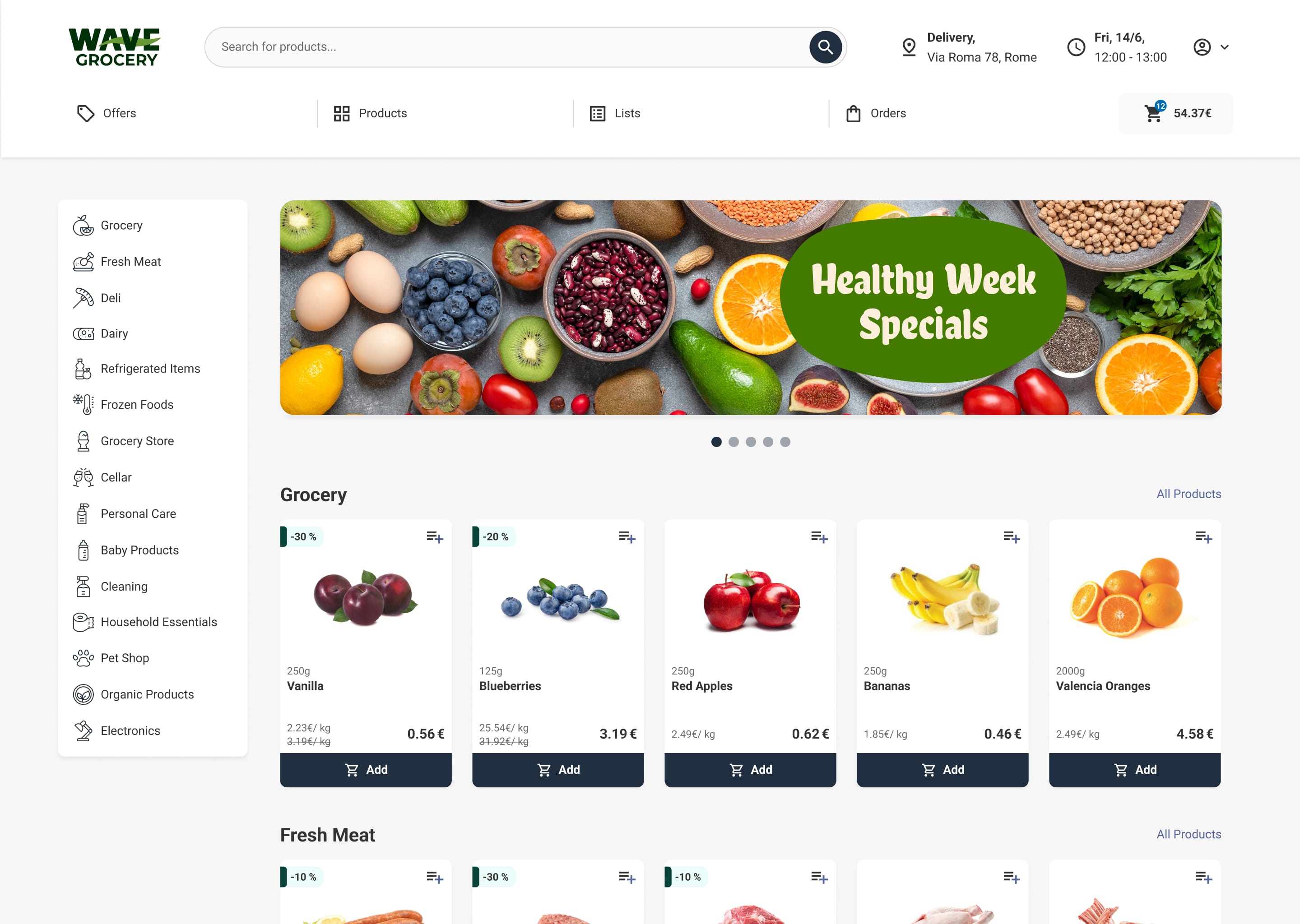
"Add oat milk to my order" or "what's a quick dinner idea" are phone-native behaviours. Wave Grocery's mobile app is built for exactly this context, handling conversational queries the way shoppers actually type on a phone.
A semantic search layer that performs well on desktop but degrades on mobile is not a complete solution for grocery.
Performance at SKU scale. A mid-size grocery retailer may carry 15,000 to 50,000 SKUs. The search engine must return relevant results in milliseconds at that scale, or the experience degrades regardless of how sophisticated the underlying model is.
Wave Grocery's platform is purpose-built for grocery ecommerce.
The search layer handles natural language queries, dietary and attribute-based searches, and the kind of conversational queries that standard keyword matching cannot process.
See how Wave Grocery handles natural language search to understand what this looks like in practice.
%2520copy.jpeg)
Tasos Koskolos is Head of Product, applying an engineering mindset to e-grocery tools that boost throughput, accuracy, and customer loyalty.

Our editorial team works hand-in-hand with grocery experts and digital specialists to deliver actionable content designed to help your business thrive online. Each article is built on real industry insights and practical guidance for grocers, providing actual solutions to real problems.