In grocery retail, payments are more than the final step at checkout. They are the bridge between customer experience and operational accuracy.
Whether a shopper taps their card in-store or completes an order online, the way you accept payments online affects inventory accuracy, fulfillment speed, reconciliation, and customer trust.
For many grocery retailers, the real challenge is not simply how to accept credit card payments online, but how to connect online transactions with the in-store point of sale. The answer is integration: unifying POS and online payments into a single operational flow.
Why POS still matters in a digital grocery world
Even as e-grocery grows, the point of sale remains the operational backbone of most grocery businesses.
Modern systems like Lightspeed POS do more than process receipts. They centralize sales, inventory, and customer data, making it possible to keep physical and digital channels aligned.
A connected POS ensures that every in-store purchase updates stock immediately, preventing overselling online. It also supports smarter merchandising and assortment planning, using real performance data across channels rather than guesswork.
See how this ties into assortment planning in retail.
Without POS integration, solving “how to accept payments online” addresses only checkout, leaving inventory and fulfillment exposed.
Why online payments are just as critical
On the digital shelf, trust is either reinforced or lost at checkout.
The way you accept credit card payments online, support wallets, and handle authorization determines whether a shopper completes the order or abandons the cart.
Gateways like Stripe, PayPal, and Braintree support global cards and wallets, while Viva Wallet plays a critical role in European markets with local payment preferences.
When online payments are set up correctly, grocers:
- reduce cart abandonment
- speed up reconciliation
- improve checkout confidence
Most importantly, they enable smoother grocery order fulfillment by ensuring orders are paid, authorized, and ready for picking without manual checks.
The power of integration: POS + online payments
Connecting POS and online payments changes how grocery operations scale.
An integrated setup delivers:
- Unified inventory
- Every in-store and online sale feeds the same inventory pool, preventing mismatches.
- Consistent customer journeys
- Refunds, replacements, and loyalty credits work the same whether the order started online or in-store.
- Simpler reconciliation
- Payments, captures, and refunds align across systems instead of being matched manually.
- More profitable decision-making
- Unified reporting supports smarter promotions and pricing strategies across channels.
This is the best way to accept payments online in grocery: not by stacking providers, but by unifying transactions and operations.
How Wave Grocery connects POS and payments
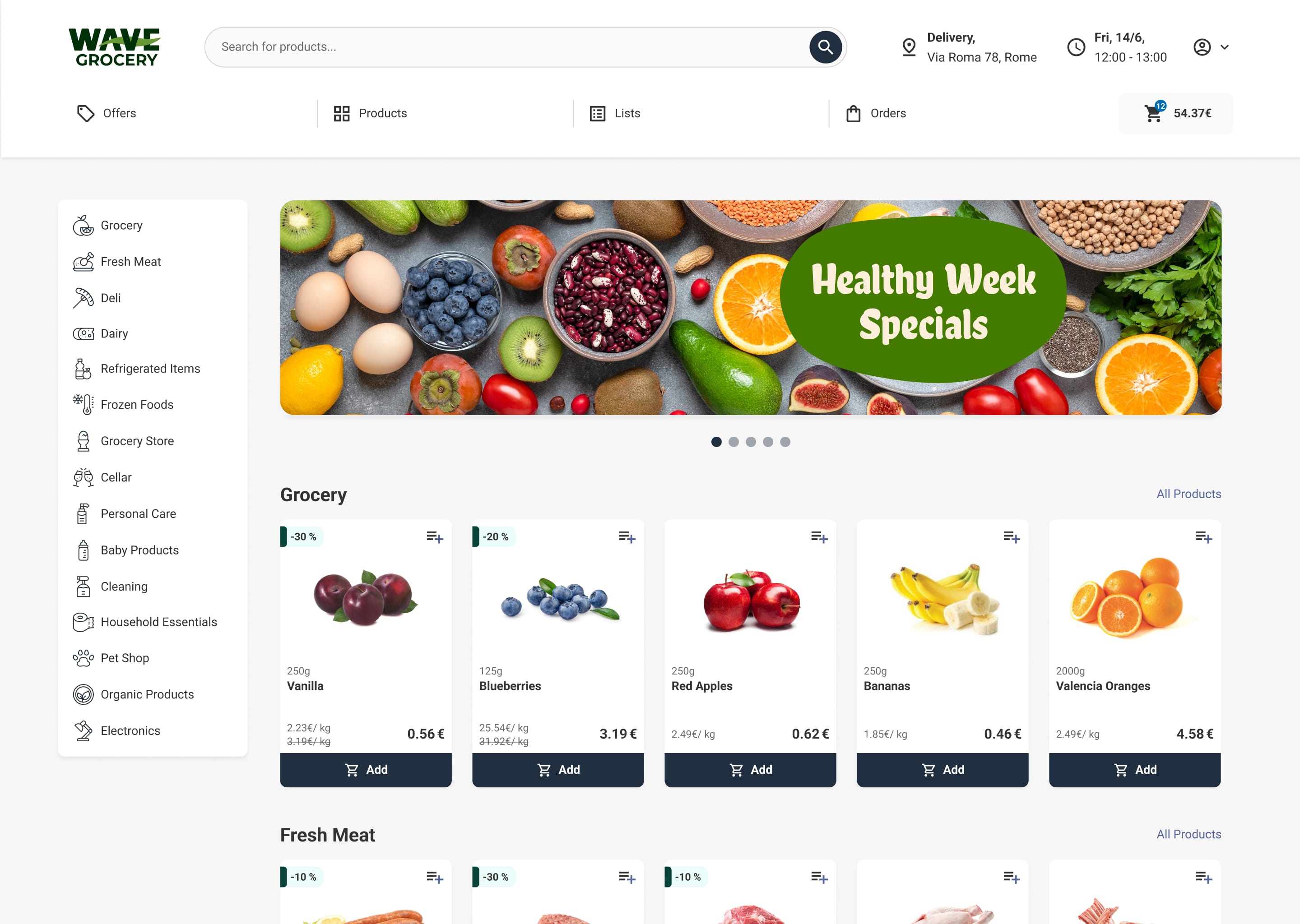
Wave Grocery enables secure, omnichannel payments and in-store transactions by connecting to trusted POS systems and global gateways.
- Lightspeed POS syncs store sales and inventory with your back office.
- Stripe enables smooth card and wallet checkouts with fraud protection.
- PayPal gives shoppers a familiar, fast option with streamlined refunds.
- Braintree supports local methods and advanced security features.
- Viva Wallet bridges in-store terminals and online checkout in European markets.
- Clover Payments delivers speed and reliability in North America, the UK, and Australia.
- Sola Payments offers PCI-DSS compliant processing for supermarkets in the US and Canada.
- Netopia supports cards, SMS, and bank transfers in Romania.
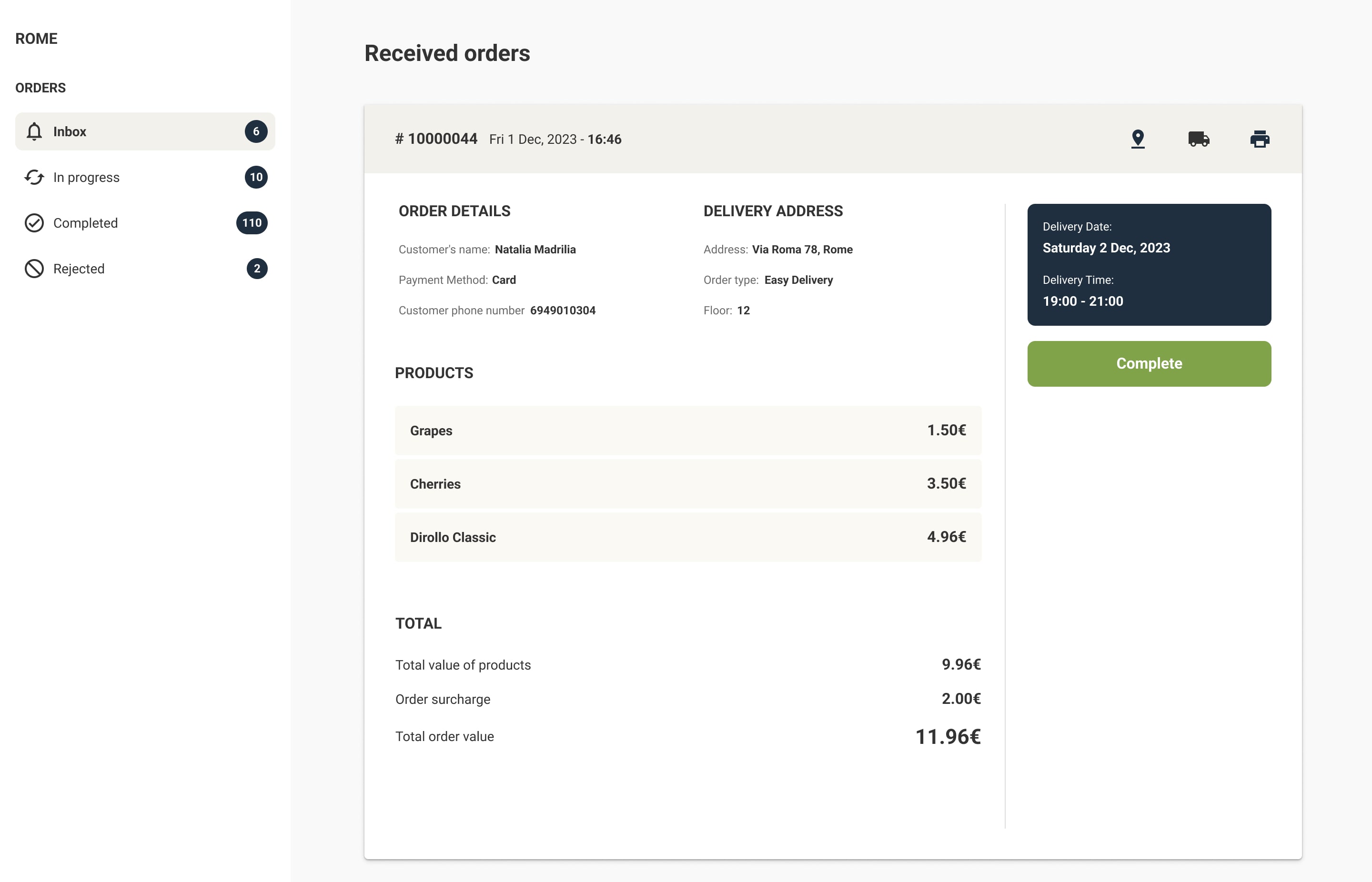
These integrations allow grocers to add payment to a website while keeping POS, inventory, and orders in sync, especially when combined with Wave Grocery's order management system
Practical setup: how to accept payments on your website
If you are setting up payment on website for a grocery store, follow a workflow that reflects grocery realities.
1. Choose the right gateway and methods
Pick Stripe, PayPal, Braintree, Viva Wallet, Clover, Sola Payments, or Netopia based on your markets and in-store setup.
2. Connect payments with POS
Link your gateway to Wave Grocery checkout and connect it to POS. This ensures online sales immediately update store inventory.
3. Configure authorization and capture
For variable-weight items, authorize at checkout and capture the final amount after picking. This is the safest way to accept payment online with credit card in grocery.
4. Enable secure card-on-file
Tokenized card storage improves repeat orders and answers the real question behind how can I accept credit card payments online securely.
5. Simplify reconciliation
Unified reports reduce financial blind spots that often lead to issues like retail shrinkage.
Key takeaway
If you are evaluating how to accept credit card payments online, do not treat payments as a standalone feature.
The real advantage comes from POS-integrated online payments that keep inventory accurate, fulfillment predictable, and reconciliation simple.
That is how you accept credit cards on your website, avoid operational gaps, and deliver a smoother customer experience.
👉 Contact us to see how integrated POS and payments can future-proof your grocery business.
FAQs: quick answers to common queries
How to accept online payments on website?
Connect a gateway like Stripe or PayPal to Wave Grocery checkout, enable cards and wallets, and test the end-to-end flow with your POS.
How to set up credit card payment on website?
Open a merchant account with your chosen provider, configure card acceptance, enable 3-D Secure, and test authorization, capture, and refunds.
What is the best way to accept credit card payments on website?
Use a PCI-compliant gateway with tokenization and fraud tools, then connect it to your e-commerce site and POS. This ensures accurate stock and unified refunds.
How to add payment to website if I am new to e-commerce?
Start with Stripe or PayPal for simplicity, then expand with local methods through Braintree or Viva Wallet. Wave Grocery provides the checkout and order sync.
How to accept payments on your website and in store without double work?
Integrate Wave Grocery with your POS and your chosen gateway. This creates one unified flow for orders, inventory, and refunds.

Costas D. Aniston is Customer Success Manager, helping grocery retailers streamline operations, improve fulfillment accuracy, and achieve sustainable growth.

Our editorial team works hand-in-hand with grocery experts and digital specialists to deliver actionable content designed to help your business thrive online. Each article is built on real industry insights and practical guidance for grocers, providing actual solutions to real problems.